Know where every school instrument is.
Instrumentify keeps a music department's instruments, photos, condition notes and student loans in one place. Directors run it themselves. Students ask for an instrument with a form. Nothing lives in a spreadsheet nobody can find.
The demo is the real app running inside your browser on made-up data. Nothing you do there is saved.
How it works
One app, three kinds of people. Every screen below is in the demo.
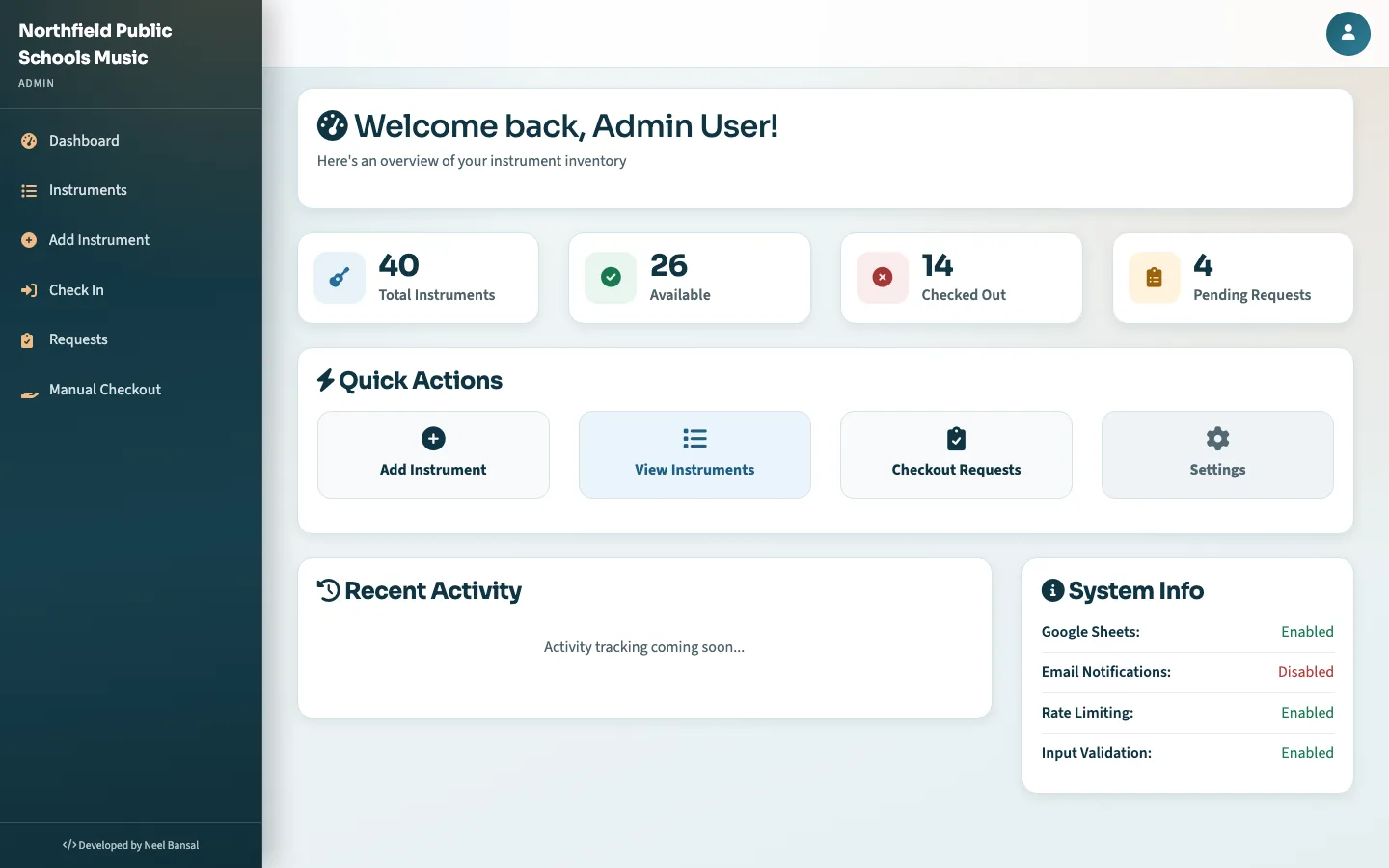
Directors
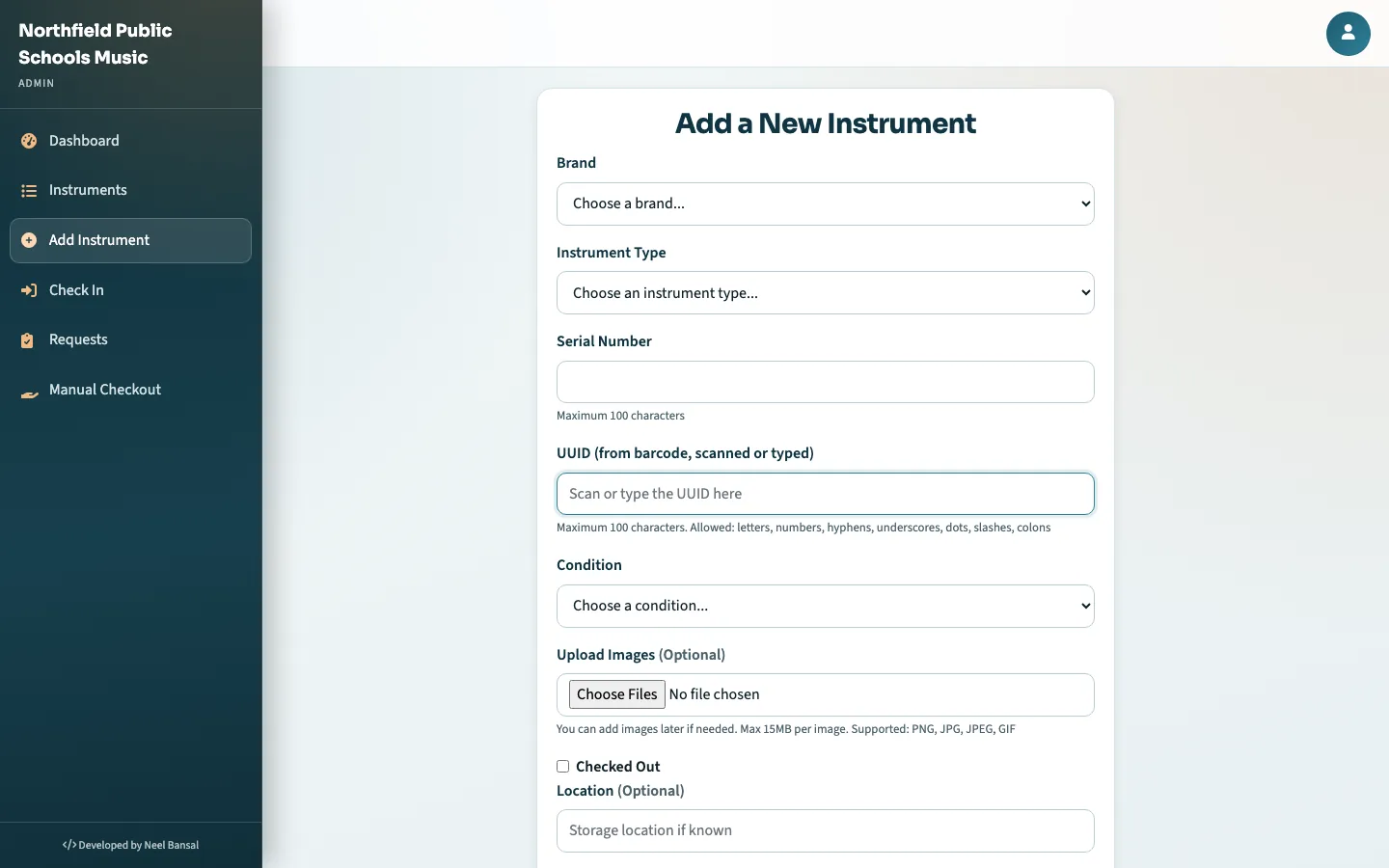
- Add each instrument with brand, type, serial, condition, location and photos.
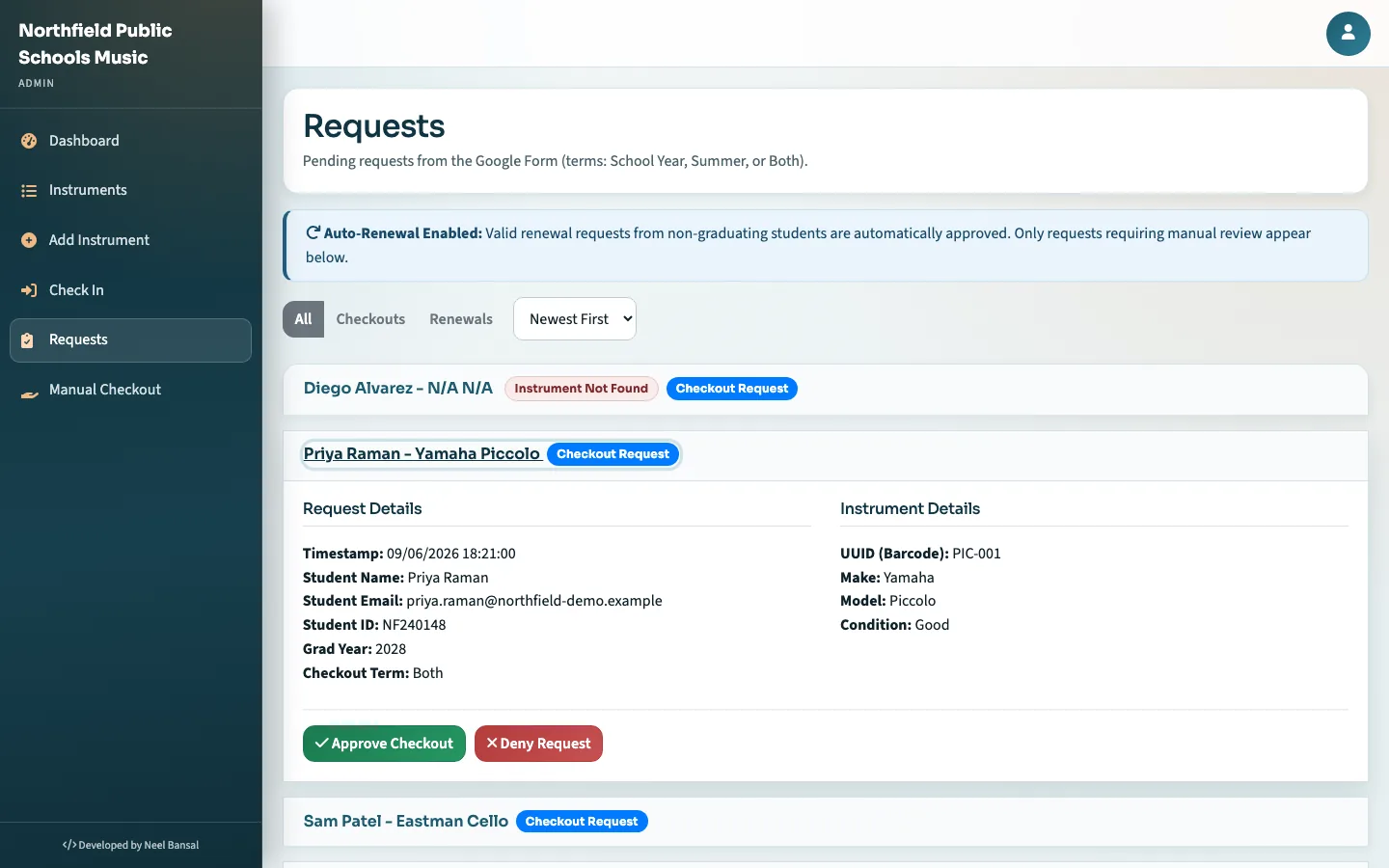
- Approve or deny checkout requests, or check an instrument out by hand.
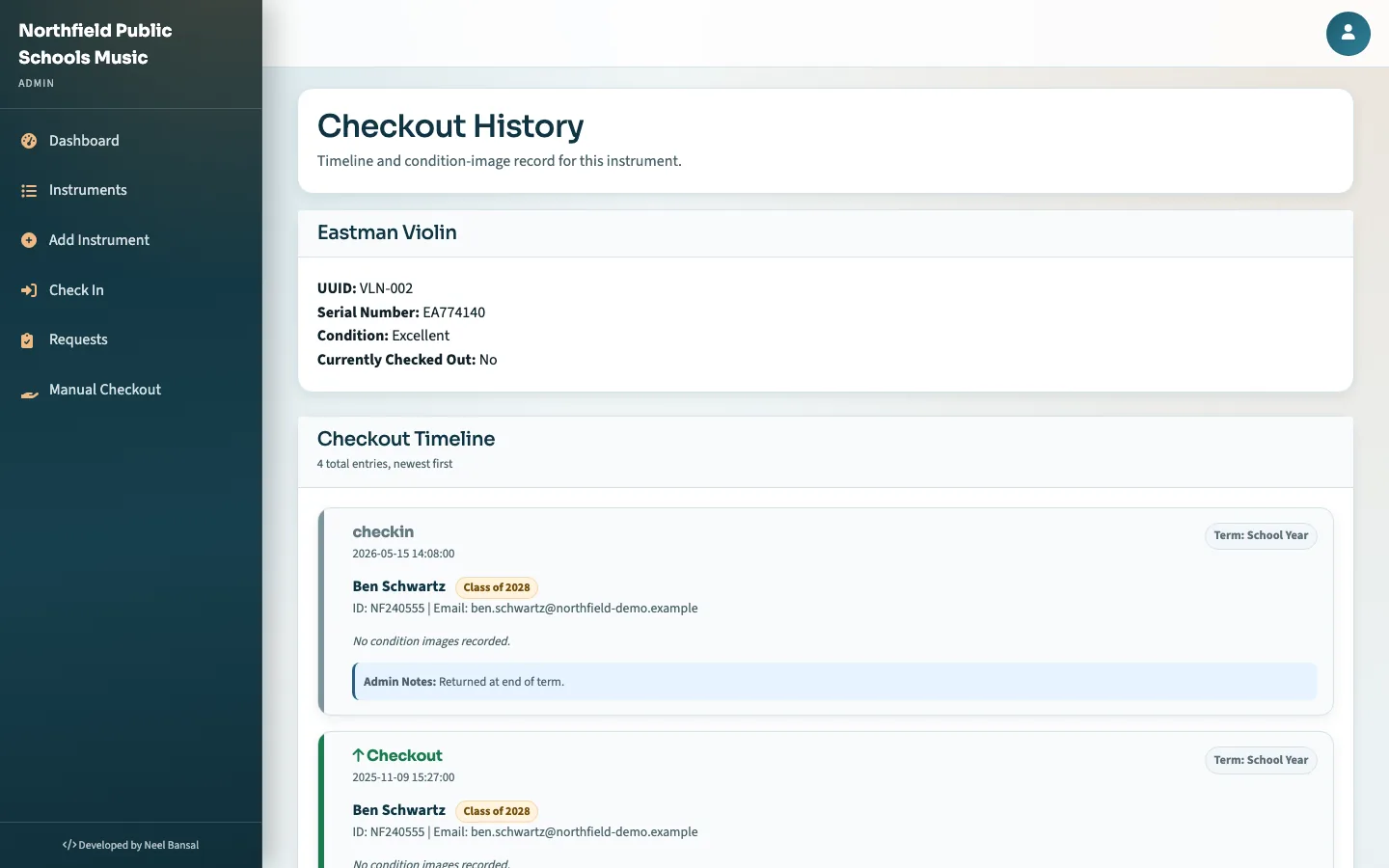
- Check instruments back in and see the full history of every horn.
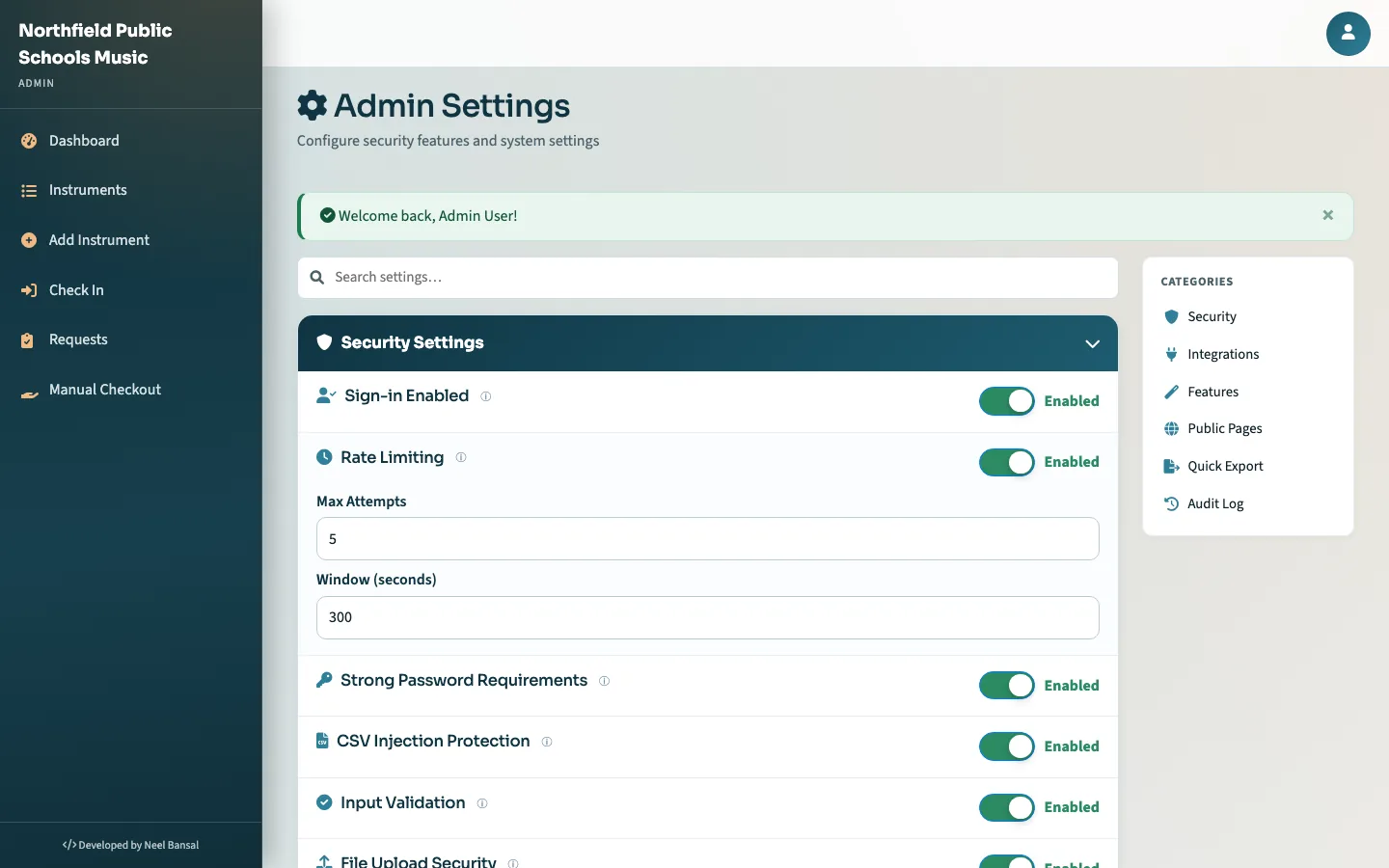
- Change settings, invite codes and public pages from the admin screen.
Students and families
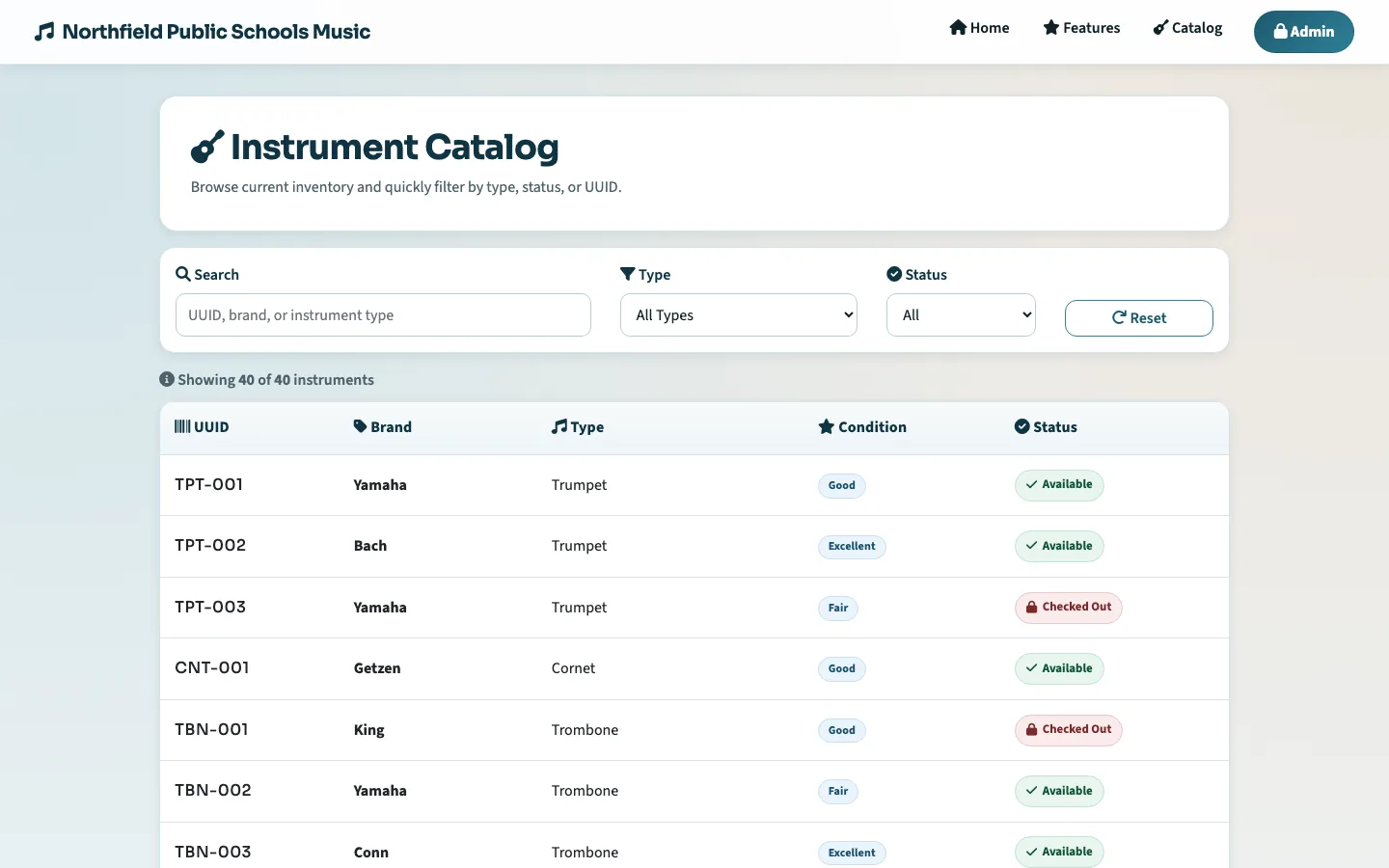
- Browse the public catalog to see what the school has.
- Request an instrument through a Google Form. It lands in the director's queue.
- Get reminder emails before anything is due back, and ask to keep it over the summer.
Behind the scenes
- Every change is backed up to a Google Sheet the school already owns.
- Photos are stored locally, with Google Drive as overflow.
- A daily summary email tells the director what needs attention.
- Sign-in attempts, uploads and edits are logged and rate limited.
What it does
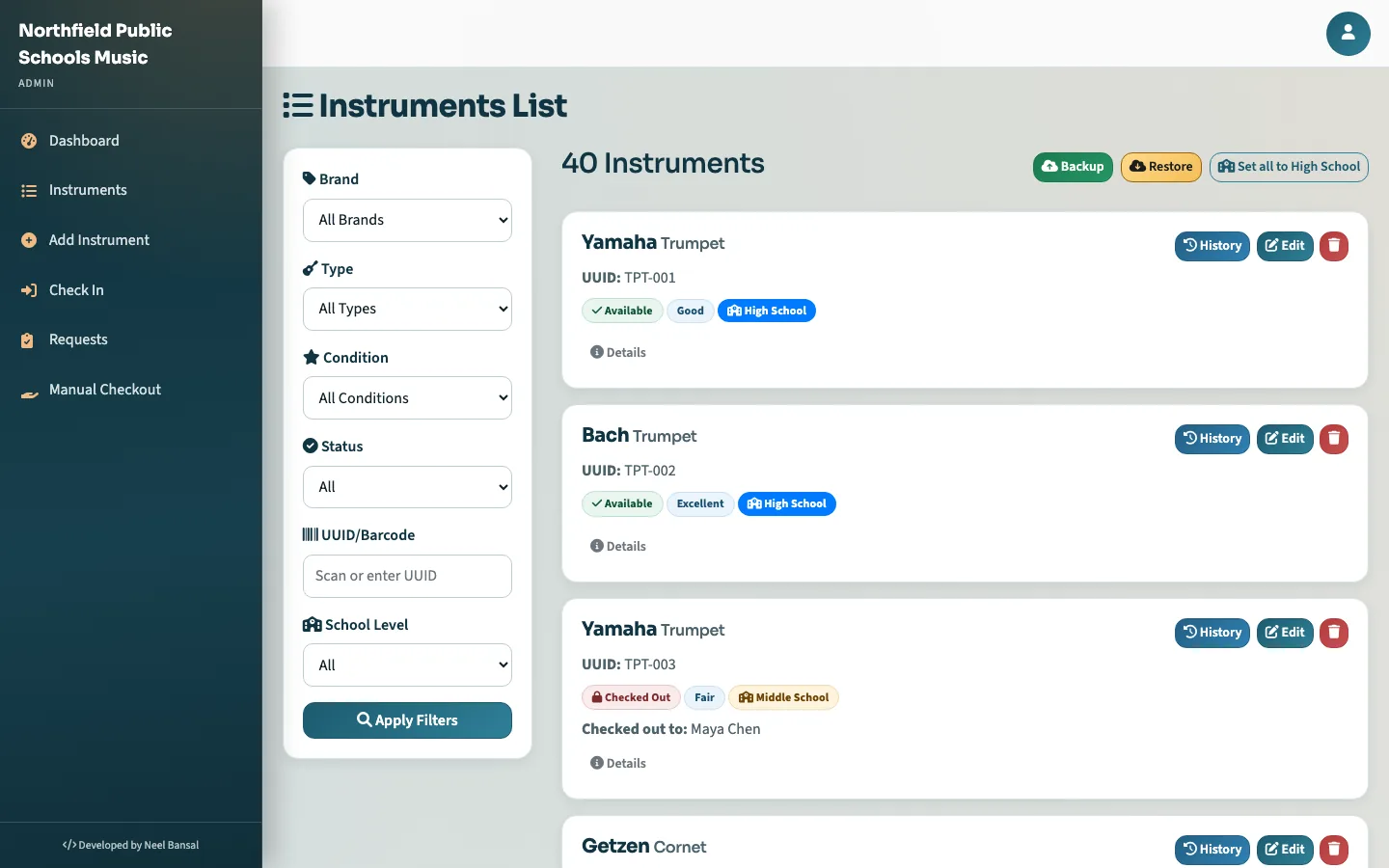
- Inventory with photos
- Brand, type, serial, condition, location, notes and pictures for each instrument. Search and filter by any of them.
- Checkouts by term
- Loans are for the school year, the summer, or both. Due dates come from the school calendar, not from a number of days.
- Requests from Google Forms
- Students fill in the form the school already uses. Requests show up in the queue with the student's photos attached.
- Renewals and reminders
- Students ask to keep an instrument over the summer. Reminder emails go out before anything is due back.
- Public pages you can switch off
- A landing page, a catalog and a features page for families. Each one is a toggle in settings.
- Backups to Google Sheets
- Every edit is mirrored to a spreadsheet, so the data is readable without the app and survives a server dying.
- Accounts and security
- Invite-code sign-up, bcrypt passwords, CSRF protection, rate limiting, upload checks and an audit trail.
- Settings without config files
- After the five-step setup, everything from the school name to email notifications is edited in the admin screen.
Screens
Taken from the demo. Click one to enlarge it.
Try it before you email anyone
The demo is not a video or a mock-up. It is Instrumentify itself, started inside your browser tab with a fictional school's data.
- Sign in as the director, add an instrument, approve a request, check something in.
- Switch to a staff account or the public site with one click. Students never sign in; they use the catalog and the request form.
- Reset the data whenever you want. Nothing leaves your computer.
Accounts in the demo
| Director | director@northfield-demo.exampleDemoDirector2026! |
| Staff | sam.okoro@northfield-demo.exampleDemoStaff2026! |
| School | Northfield Public Schools, which does not exist. Neither do the people. |
Run it yourself
Instrumentify is a small Flask app with CSV files behind it. It runs on a school server, a TrueNAS box or a cheap VPS. The setup guide has the details, the FAQ and the fixes for things that go wrong.
-
Start the container
One image, five folders for data, logs, uploads, config and Google credentials.
docker run -d --name instrumentify -p 5000:5000 \ -v /srv/instrumentify/data:/app/data \ -v /srv/instrumentify/logs:/app/logs \ -v /srv/instrumentify/uploads:/app/static/uploads \ -v /srv/instrumentify/config:/app/config \ -v /srv/instrumentify/google_ServiceAccount:/app/google_ServiceAccount \ ghcr.io/itsrecharge/instrumentify:latest -
Open it and finish the five setup steps
School name, admin account, upload limits, public pages, and optionally Google Sheets, Drive and email. Everything can be changed later in settings.
-
Add instruments, share the request form
Import from a spreadsheet or add them one at a time with photos. Put the Google Form link on the school website and requests start arriving.
Prefer not to run a server? That is what the email below is for.
Want Instrumentify at your school?
Send one email and I will set up an instance for your program, load your instruments, and walk you through the first checkout.
inquiries@instrumentify.orgUseful to include:
- Your school or district, and who runs the music program
- Roughly how many instruments you lend out
- Whether the school uses Google Workspace
- Whether you would rather host it yourselves